Moving stock between three factories with one container and one audit trail
Prodigi makes everything to order across sites in the UK, the Netherlands and the US. This is how it moves stock between them without losing the paper trail, misstating any site's inventory, or tying up cash in safety stock.
Customer ProdigiWorkflow Inter-company stock movementsSites Alton, Venlo, Charlotte
Materials being put away on pallet racking. Stock held at one site often has to be moved to another.
The situation
Prodigi is a print-on-demand company with three in-house production facilities: Alton in the UK, Venlo in the Netherlands and Charlotte in the US. Everything it sells is made to order, so every site needs the right materials on hand at the right moment. Those materials do not always sit in the country where they are needed, and the three sites regularly send stock between one another.
The frequent setup is that stock is ordered to the central site in Alton. There it is consolidated into containers, and the UK team ships those containers on to the other sites, typically where the same stock is more expensive to buy locally or is not available at all. Alton therefore acts as a hub: purchase orders come in to the UK, containers are assembled there, and shipments go out to Venlo and Charlotte.
Figure 1 · The usual flow of stock between sites
Stock is ordered to Alton, consolidated into containers by the UK team, and shipped on to Venlo and Charlotte.
The constraint
Complicated on paper, messy in practice
As an idea, a central hub is simple. In practice each stage comes with its own admin. Purchase orders have to be organised into the UK. The goods then have to be consolidated and fitted efficiently into a container. Finally, an intercompany PO has to be raised across countries, which is complicated for tax purposes and needs a clean, defensible record.
That record was hard to keep. The process got messy in NetSuite, and the conversation around each shipment was spread over lots of Slack channels. When the history of a shipment is split between a finance system and many chat threads, it becomes hard to say who agreed what, or where a given quantity of stock is at a given moment. Things got lost.
Figure 2 · Where the process became difficult
Organising POs into the UKOrders for several sites landing at one place.
Consolidating and fitting a containerPacking efficiently so every shipment earns its space.
Intercompany POs across countriesComplicated for tax, and easy to get wrong.
Tracked acrossNetSuiteLots of Slack channelsThings getting lost
The forecasting dilemma
Underneath the paperwork sat a harder problem. Print-on-demand and made-to-order production is difficult to forecast, so the business could not simply plan its stock levels months ahead and leave them there.
That left Prodigi with a dilemma. It could hold large quantities of stock, which protects against surprises but ties up cashflow in inventory. Or it could run stock thin, which keeps cash free but risks being caught out by the long lead times to the other sites and by unexpected order volumes. Because stock for Venlo and Charlotte has to be ordered in the UK, assembled into a container and shipped, a wrong call is slow to put right.
Figure 3 · The stock dilemma
Option AHold lots of stock
Never caught out, but cashflow is tied up in inventory.
OR
Option BRun stock thin
Cash stays free, but long lead times and surprise volumes catch you out.
The Palletable solution
A virtual container, tracked from the UK purchase order
Palletable tracks the full audit trail of a UK-based PO first, and then holds the goods in a virtual container. This allows the stock to be legally held, and tracked, separately from standard UK stock, so it is never mixed in with what Alton itself is using.
Collaborating on the container
People can collaborate live on this digital container. Everything done to it is audit logged, so nothing gets lost and everyone is accountable. The history of a shipment sits with the container itself, rather than being scattered across separate channels.
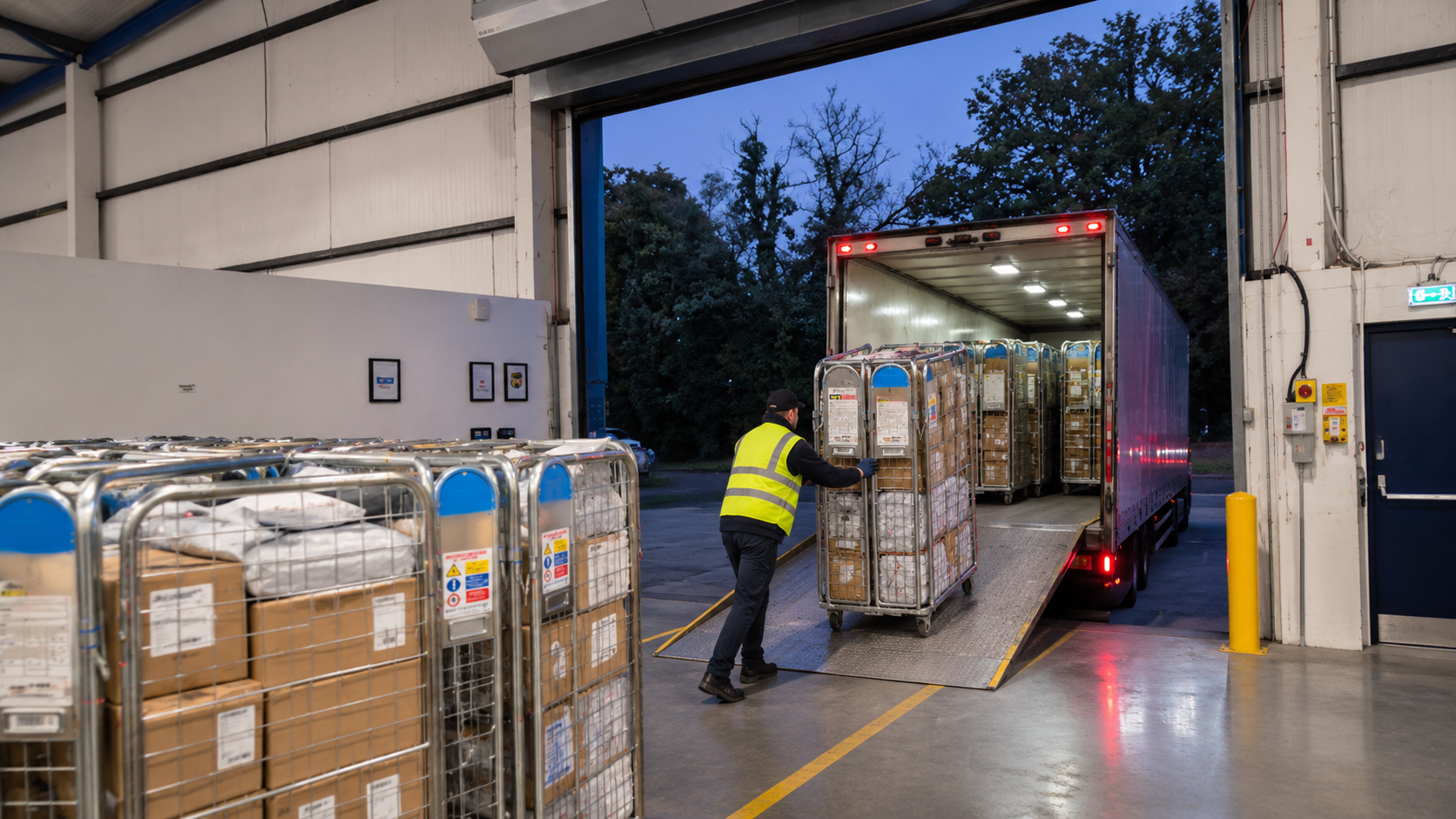
Loading a lorry for onward shipment. In Palletable the container is already tracked and held before it leaves the dock.
Keeping each site's stock honest
When the container is sent, it is held against the receiving company financially in Palletable. At no point does that misrepresent any site's stock as higher than it really is. When the container arrives, the receiving site books it in and its stock is updated.
Figure 4 · The life of a container in Palletable
1
UK purchase order
The full audit trail starts with the UK-based PO.
Held inUK PO
2
Virtual container
Goods are held digitally, legally separate from standard UK stock.
Held inVirtual container
3
Shipped
Held against the receiving company financially while in transit.
Held againstReceiving company
4
Booked in
The receiving site books it in on arrival and its stock updates.
Held inReceiving site's stock
At no point is any site's stock shown as higher than it really is.
The outcome
Reordering for the lead time that really applies
With the whole journey tracked, Palletable's standard auto-reordering suggestions can account for the true lead time to the receiving site. That is the UK order time, plus container assembly, plus container transit, rather than just the supplier's lead time.
Figure 5 · The lead time used for reorder suggestions
Part 1UK order time
+
Part 2Container assembly
+
Part 3Container transit
= Lead time to the receiving site
Illustrative, not to scale.
Less cash tied up in safety stock
Planning against the real lead time reduces exposure to stock-outs. It also lets the business rely less on hoarding large quantities of stock, which frees up cashflow. The choice between tying up cash and being caught out is no longer a straight either/or.
Summary · Before and after
Before
Shipments tracked across NetSuite and lots of Slack channels, with things getting lost
Intercompany POs across countries: complicated for tax and messy in NetSuite
Hold lots of stock, or run thin and risk being caught out
With Palletable
One audit-logged virtual container, from UK PO to booked in
Stock held against the receiving company, never overstating a site's inventory
Reorder suggestions that include the full lead time to the receiving site
Moving stock between your own sites?
Tell us how your sites work together and we will show you how a virtual container could fit.
Running three print-on-demand factories as one continuous flow
Prodigi makes every order from scratch, across sites in the UK, the Netherlands and the US. This is how Palletable takes an order from the moment it lands to the moment it ships, and keeps stock, purchasing and performance tied to every step.
Customer ProdigiDeployment Full, print on demandSites Alton, Venlo, Charlotte
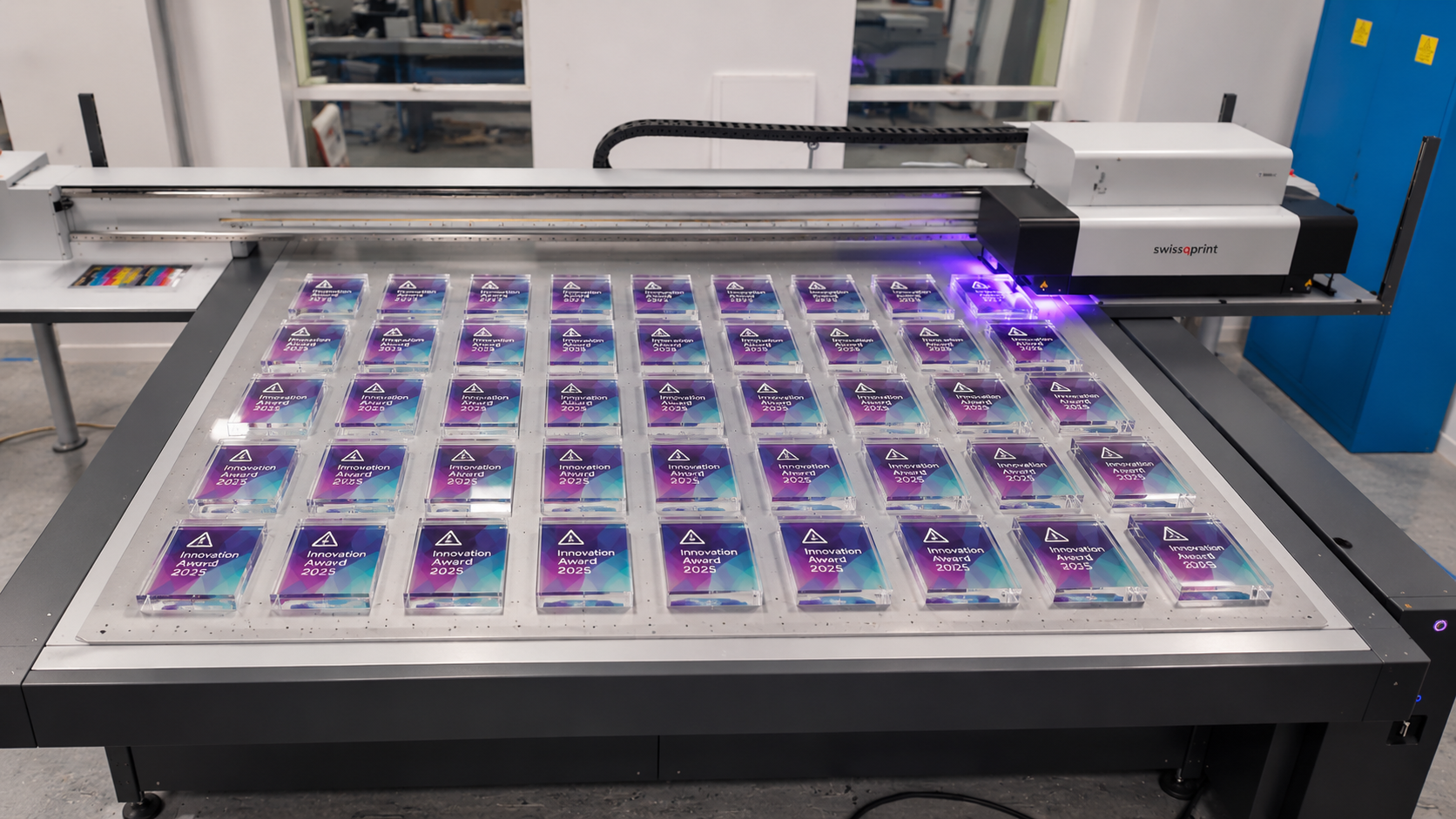
Orders being made to order on a flatbed printer at Alton.
The situation
Prodigi is a global print-on-demand company. Framed art, canvas, cards, stickers, pin badges, mounts and more are all made to order: nothing is printed until a customer has bought it. Orders arrive from marketplaces and API integrations through SiteFlow and are produced across three in-house facilities: Alton in the UK, Venlo in the Netherlands and Charlotte in the US.
Palletable is deployed across all three as the single system that runs the floor. It handles the order, the print files, the paperwork, the tracking, the stock behind it and the performance reporting on top. It is a full deployment, not a point tool: every stage hands cleanly to the next, and every stage leaves a record.
Figure 1 · One flow, from order to dispatch
1
Order received
Pulled from SiteFlow and split into items, each matched to its product and site.
2
Print files filed
Artwork lands on the site print drive, organised by substrate, SKU and client.
3
Worksheets made
One barcoded PDF per product group, filed to Dropbox for the right area.
4
Tracked through
Every scan records who handled it, where and when, until it ships.
5
Shipped on time
Shipped time checked against the due date and fed into SLA.
Running underneath every step
StockScanner, bins, automatic deductions
PurchasingReorder suggestions to delivery
AnalyticsOperator output, SLA, incoming
The order flow runs left to right. Stock, purchasing and analytics are fed by it and feed back into it.
The constraint
Every order is a one-off
Made-to-order is hard because nothing repeats. Each item carries its own artwork file, size, substrate, frame, mount or finish. It has to be made at the right site, on the right printer, with the right paperwork travelling alongside it, against a due date measured in days. A mistake at any stage shows up as a late or wrong order.
The same is true of the materials. Demand cannot be forecast far ahead, so stock consumption is uneven, and the people buying materials need to see real usage rather than guess.
Figure 2 · What has to go right, every time
The right file in the right placeArtwork on the correct site drive, in the correct folder for its printer queue.
The right paperwork with the right itemA worksheet that shows exactly what to make, with a barcode to scan.
Knowing where every item isAnd who has handled it, without asking around.
Having the materials when they are neededWithout hoarding stock or running out mid-shift.
Flow, not features
The goal was never a set of separate tools for orders, files, paperwork, tracking and stock. It was one flow, where the output of each stage is the input to the next and nothing has to be re-keyed or chased. The rest of this case study follows an order through that flow.
One system across Alton, Venlo and Charlotte means I can see how all three sites are performing without picking up the phone.
GregGroup Operations Director
I scan the worksheet and the job is tracked. No more walking the floor to find out where an order has got to.
OllieProduction Supervisor
The right file and the right paperwork turn up together, so the team spends its time making products instead of chasing them.
BethProduction Manager
Stock comes off automatically and reorders are suggested for me. We stopped running out of materials mid-shift.
JasonWarehouse Manager
The Palletable solution
1. Orders arrive and are understood
When SiteFlow receives an order it notifies Palletable, which pulls the full order and writes one record per item. Each item is matched to its product definition: category, client, substrate, size, frame and mount attributes, SLA days, production workflow and worksheet template. The order is assigned to the right site from its return address. Nothing is keyed by hand.
A safety net sits behind it. Any order that does not import completely is logged, retried automatically and re-checked against SiteFlow, so a missed order becomes a visible exception instead of a late surprise.
Incoming orders as they land, per site, with due dates and status.
2. Print files filed by substrate, SKU and client
Print-ready artwork is collected automatically and filed on the print drive at the site that will make it. A collector checks for new artwork every 15 minutes, downloads each file and places it under the order date, then under a folder defined in Factory Setup for that group of products. Where the substrate decides the printer queue, the substrate becomes a folder in its own right.
Folder sets are configured per product group, so each site can organise by substrate, SKU or client in the way its printers actually run. Files are named by order number, product alias and item ID, so an operator can find one from either end. A file is marked as processed only once it is confirmed on disk at the right size. A failed download is retried on the next cycle rather than forgotten.
Figure 3 · How a print file is filed (illustrative)
Site print drive
└─ 2026-11-24order date
└─ Canvasfolder set for the product group
└─ EMAsubstrate, filled in per order
└─ 10234_CANVAS-ALIAS_55871.jpg order · alias · item ID
Folder names come from Factory Setup, so each site and product group can use its own structure. Replace the example names with real ones before publishing.
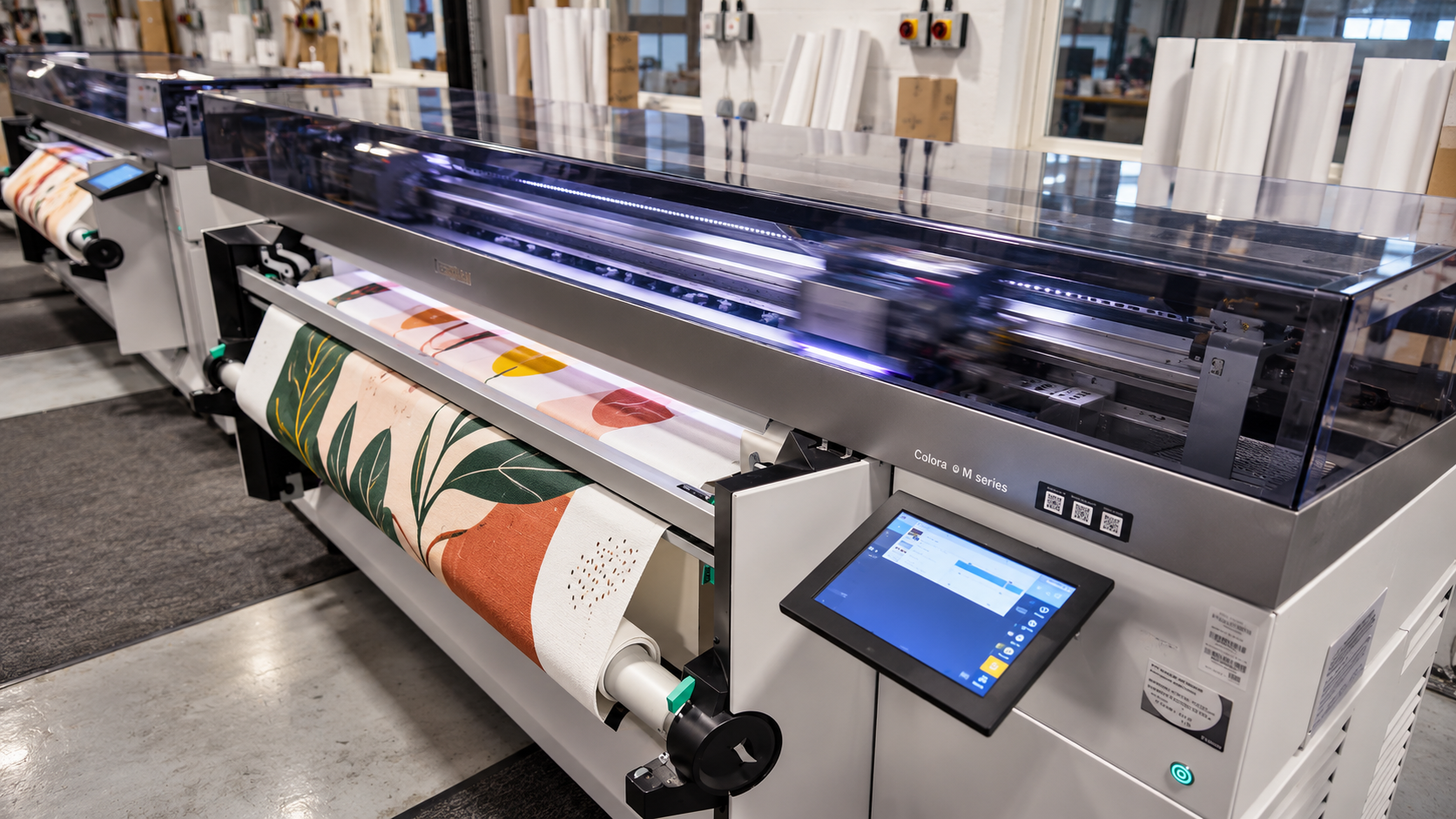
A Colora printer mid-job. Artwork is filed once per product group, so each print lands in the right printer queue.
3. Worksheets generated and filed
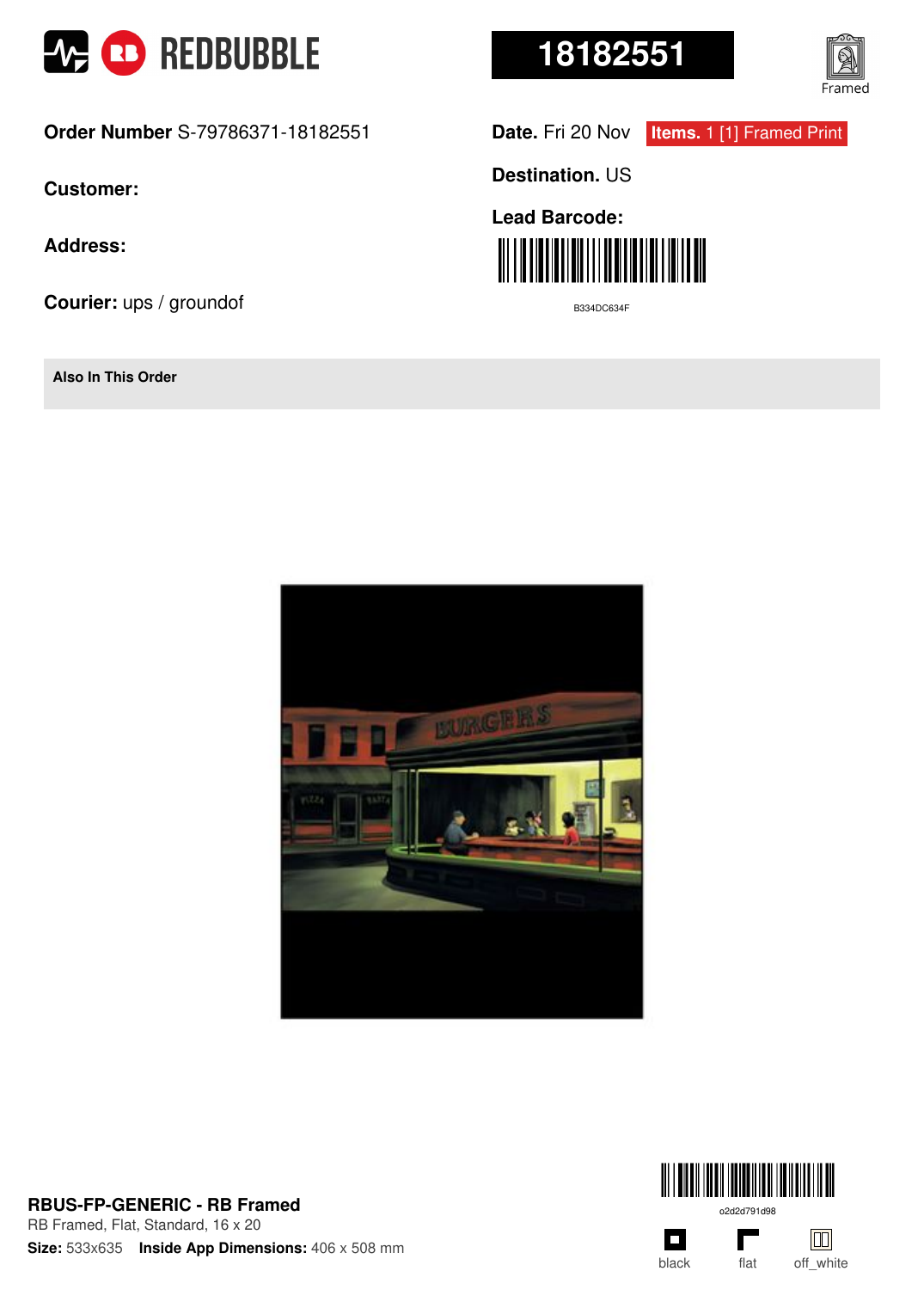
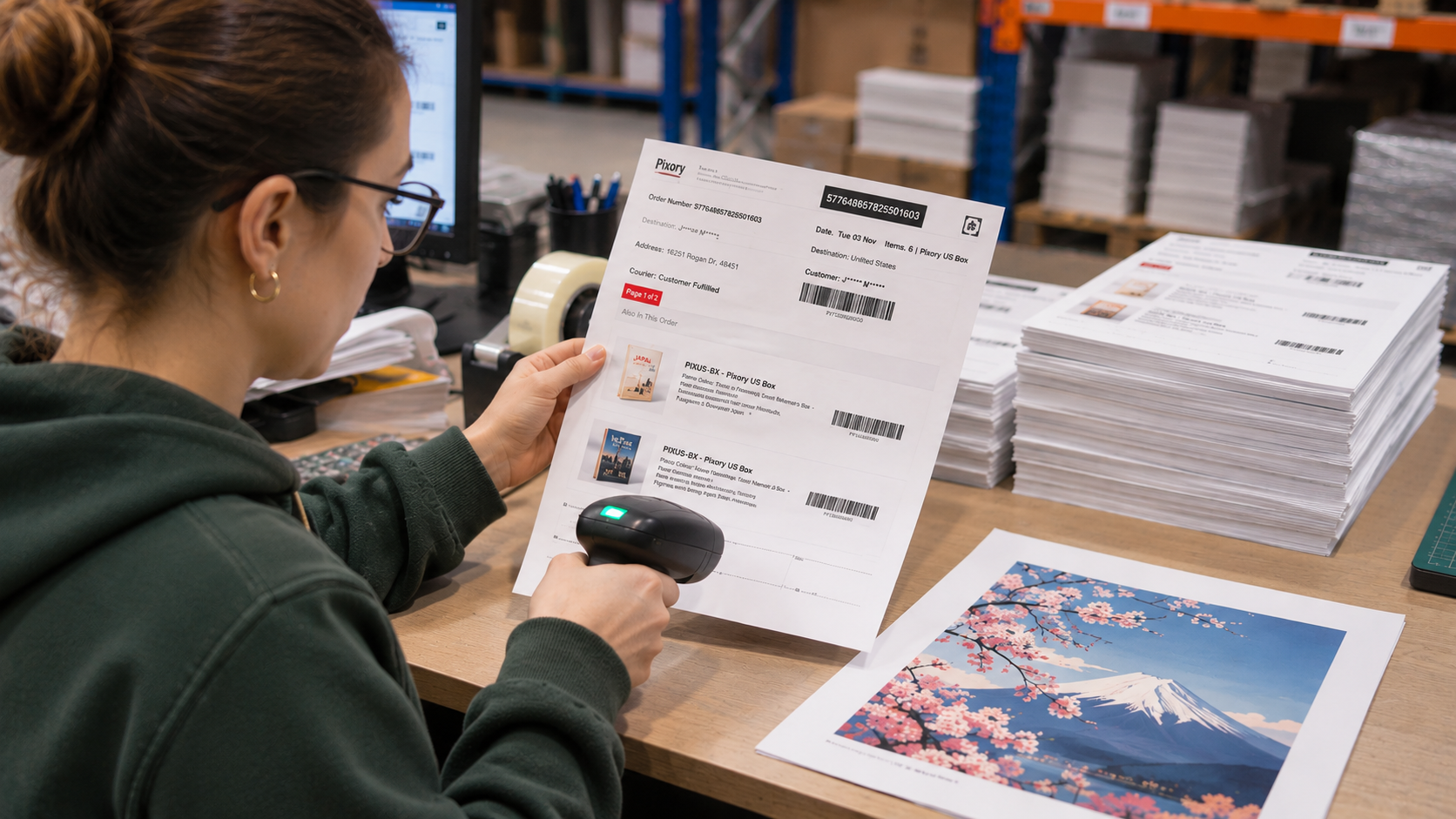
Once every item in an order is known, Palletable groups them by unique product and renders one worksheet PDF per group. The header shows the order and destination, the item count, an artwork thumbnail, the attributes that matter (frame, mount, substrate, finish), colour icons and the barcode that drives tracking. Layouts adapt by category: greeting cards show their full spread, and pin badges show the original artwork at true size.
Worksheets are written to Dropbox, foldered by site, order date and product alias, so each production area opens one folder and sees its work. Overnight, the day's sheets are merged into a single pack per alias, duplicate copies are cleared out, and old folders are archived.
Figure 4 · Where worksheets are filed
Pulse-Worksheets
├─ Alton
│ └─ 20261124order date
│ └─ Product aliasthe production area's folder
│ └─ {sf_id}.pdfone worksheet per product group
├─ Venlosame structure
├─ Charlottesame structure
└─ {Site}-Historicolder dates move here automatically
A generated worksheet: everything an operator needs, with the barcode that starts tracking.
4. Tracked through production
Every product has a workflow: an ordered route through the workstations it needs. At each station a browser extension runs alongside SiteFlow. The operator signs in against their workstation, and scanning the worksheet barcode records a transaction: who, where and when. The same scan surfaces any operator messages for that order, such as a special instruction or a hold, and reprints are raised through the same scan.
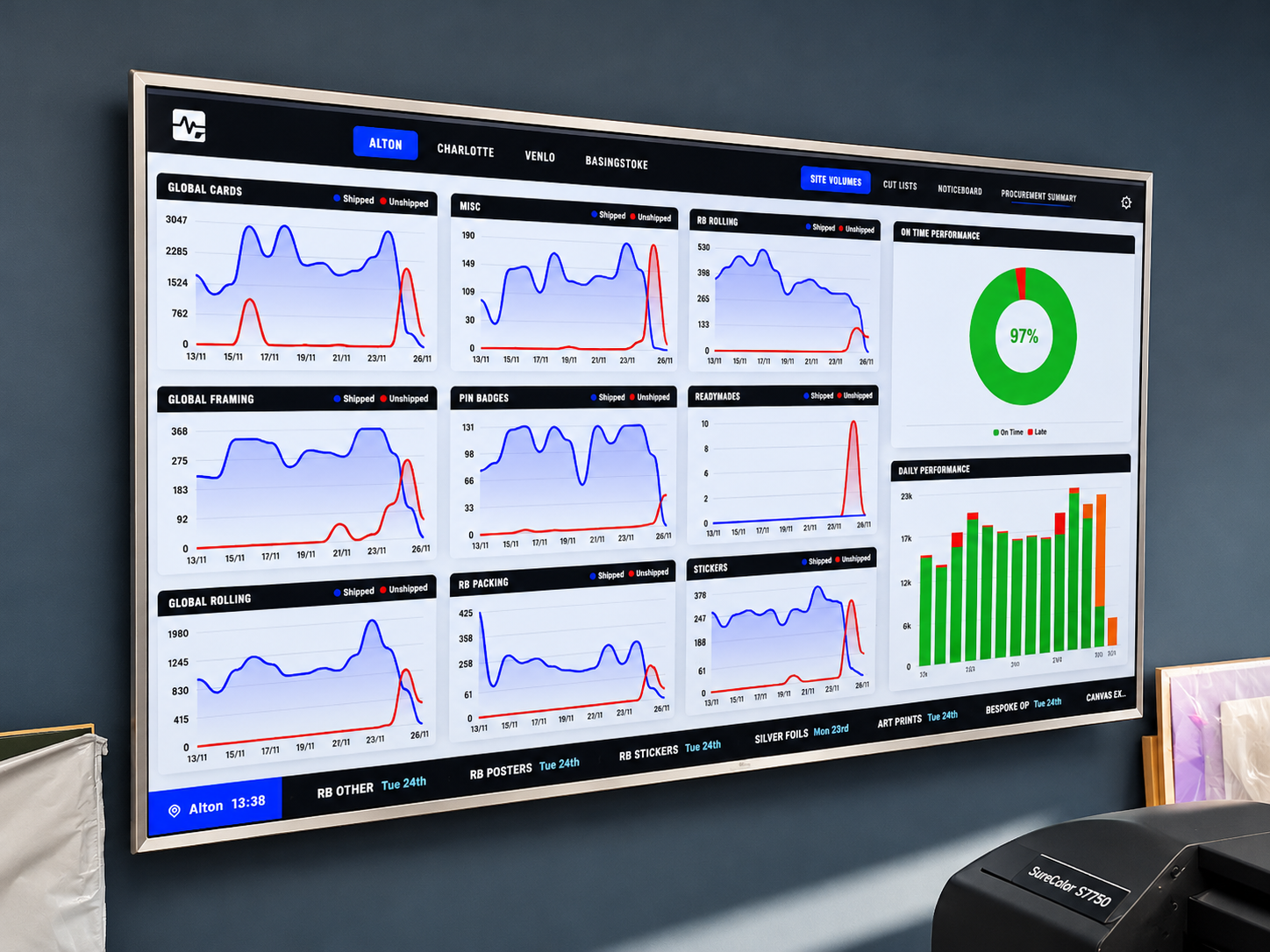
Supervisors see the floor as it happens: who is active, who is printing, output by workstation, and the oldest open order in each work area on wall-mounted boards. When SiteFlow reports an order as shipped, Palletable stamps the shipped time and checks it against the due date, with a weekend-excluded measure alongside.
Figure 5 · What one scan captures, and what it feeds
Captured at the scan
Used for
Operator and workstation
Live operator status, output tracker, efficiency against target
Item barcode and timestamp
Order tracking, oldest open order per work area, SLA on-time checks
Operator messages for the order
Special instructions and holds shown at the point of work
Reprint flag
Reprint queue, product reprint ratio and delay trends
One scan at each station keeps the order's record current.Live volumes and SLA on the floor, with no one needing to ask for a status update.
5. Stock tied to production
Every material has a record: NetSuite code, supplier, lead time, days to hold and unit of measure. Stock lives in two places, the warehouse and the shop-floor "supermarket" bins. With the stock scanner, an operator scans a bin barcode and moves a quantity, and both sides log an auditable transfer. Cycle counts, smart tally and checklists are built in.
Consumption is not left to memory either. Each night Palletable reads the previous day's cut tasks, matches each one to its frame size definition, and posts transfers for the MDF, styrene and kits used. A nightly file for each region goes to NetSuite, so finance sees the same movements the floor does.
Image slot 07Photo or screenshot of the stock scanner in use at a supermarket bin.16:9 · set the src on the img below
Scan the bin, enter the amount, and the warehouse and shop-floor records both update.
6. Purchasing and reordering from real usage
Because every movement is recorded against real production, Palletable knows how fast each material is used. The reorder analysis takes average daily consumption over each item's days-to-hold window and projects it against lead time. It suggests a requisition when stock plus anything already on order is at or below the reorder point, or when the next typical draw would take it below. What is already on order is netted off, and suggestions are grouped by supplier.
The analysis runs in a click from the procurement screen at any site, and requisitions then move through a clear lifecycle. On delivery, the operator books in against the NetSuite purchase order and the receipt is posted back automatically, with every attempt logged. Movements between sites use the same mechanism, covered in the inter-company stock movements case study.
Figure 6 · The life of a requisition
1
Suggested
Generated from real usage, lead time and days to hold.
2
Requested
Reviewed and confirmed by purchasing.
3
Ordered
Placed with the supplier against a NetSuite PO.
4
Sent / Arrived
Tracked in transit and on arrival at site.
5
Delivered
Booked in; stock updates and the receipt posts to NetSuite.
Anything in stages 2 to 4 counts as already on order, so it is never suggested twice.
Image slot 08Screenshot: the Procurement or Inventory screen showing suggested requisitions grouped by supplier.16:9 · set the src on the img below
Suggested requisitions, grouped by supplier and ready to review.
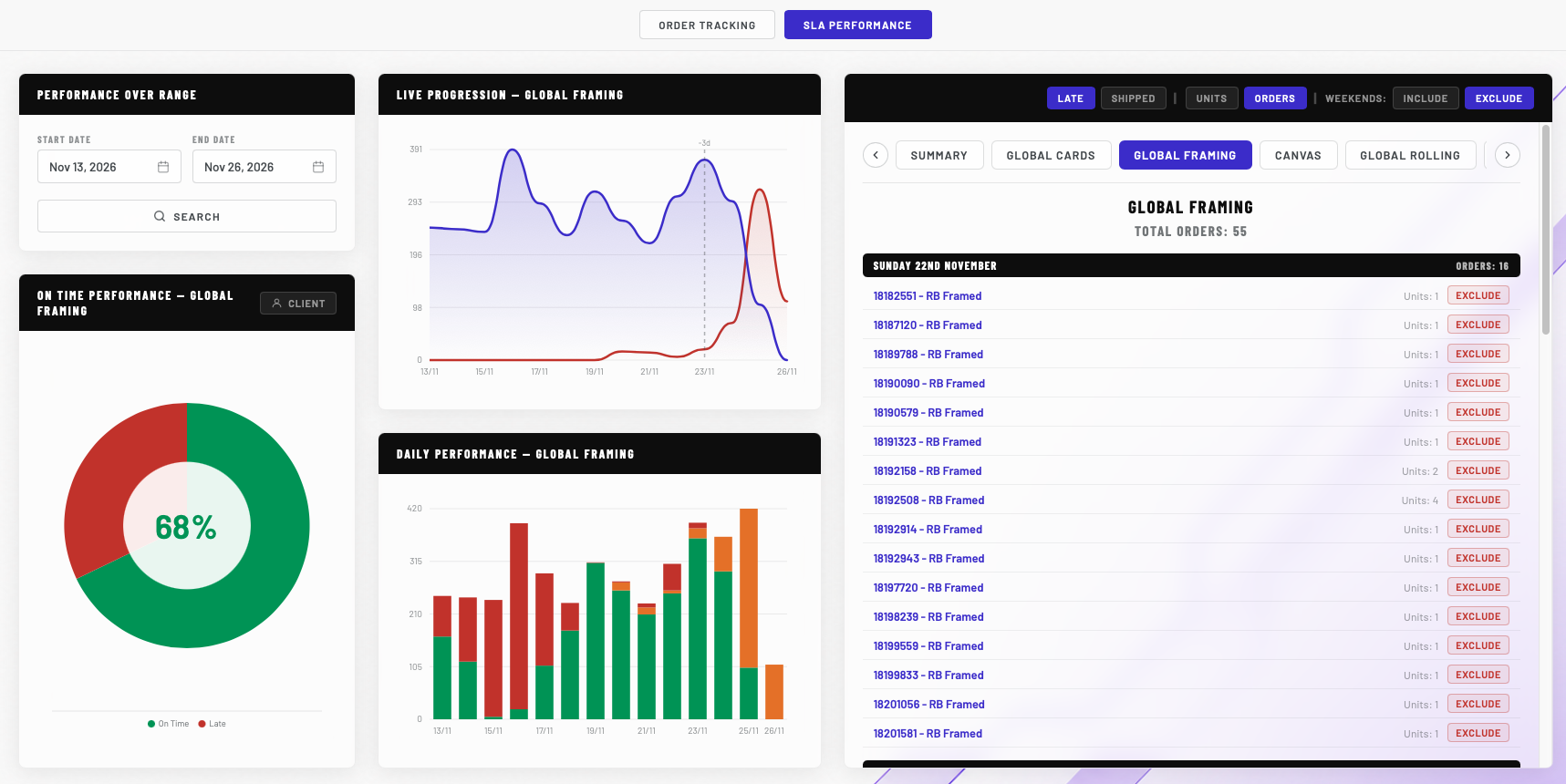
7. Analytics on output, SLA and incoming work
Everything above produces data, and Palletable puts it to work. Operator efficiency is calculated by crediting each unit against the target time for that product at that workstation, measured against a standard working day. Operators falling below the threshold are flagged on the notice board with a link straight to their report. Alongside that sits on-time delivery by SKU, client and site, and a view of what is coming in.
Figure 7 · What the analytics cover
Question
Where it is answered
How is each operator performing?
Operator and workstation analysis: output, efficiency against target, hourly activity
Are we shipping on time?
SLA performance by SKU, client and site, with live progression and daily trend
What is coming in?
Incoming products and orders by category, due date and volume
What is being reprinted, and why?
Product reprints by SKU, category or client, with delay trends
What is moving fastest?
Fast-moving stock, global frame usage, moulding usage and wastage, packaging usage
How are shipments going out?
Courier usage by volume and over time
Image slot 09Screenshot: Analytics, e.g. the SLA Performance tab or the Operator Analysis efficiency chart.16:9 · set the src on the img below
On-time delivery and operator performance, drawn from the same scans that run the floor.
The outcome
Nothing falls between stages
Because the order, its files, its worksheet, its scans, its stock and its shipping all live in one record, there is no hand-off where information is re-keyed or lost. When something goes wrong, whether a missing file, a late order or a short material, it appears as an exception in the system. It no longer shows up as a customer complaint.
A floor that explains itself
Supervisors and operators do not have to ask where things are. Live boards, operator status, messages at the point of work and automatic flags on performance mean the people running the shift see what the system sees.
Stock that reorders from reality
Stock is deducted from actual production and reordered from actual usage and lead time, with delivery booked straight back to finance. That closes the loop between what the floor makes and what the business buys.
Results · Add your figures
[ XX ]Orders a day across three sites
[ XX% ]Shipped on time
[ XX ]Scans captured a day
[ XX ]Stock lines reordered automatically
Placeholders: replace the dashed tiles with verified numbers, or delete this block.
Summary · The flow at a glance
Stage
What happens
What it replaces
Orders in
Pulled from SiteFlow, split into items, matched to product and site
Manual order handling and re-keying
Print files
Filed to site print drives by date, substrate, SKU and client
Hunting for artwork in shared folders
Worksheets
Barcoded PDFs filed to Dropbox by site, date and alias
Hand-built job sheets
Tracking
One scan per station records operator, place and time
Asking around for status
Stock
Bin scans, automatic deductions, auditable transfers
Counting and guessing usage
Purchasing
Reorder suggestions to delivery, with receipts posted to NetSuite